Nobody chooses Google Drive as a delivery experience. You choose it because it is already open, it is free, and the photos are already on the disk. The link goes out, the client says thank you, and the job is done.
It does work. That is exactly why it survives in so many otherwise polished businesses. But it is worth being precise about what it costs, because the costs are invisible from your side of the screen and completely visible from theirs.
What the client actually receives
A shared folder opens as a file manager. Grey background, a grid of thumbnails, filenames like IMG_4471.JPG, a sort dropdown, and - depending on the day and the account - a request to sign in.
Your client's first encounter with three months of anticipation looks like a work tool. They will still love the photos. They will just love them in spite of the frame you put around them, and the frame is the only part of the delivery you fully control.
There is a second, quieter cost. What people forward is what they were given. A folder link forwards as a folder link. Nobody screenshots a file manager for their story.
The five things a folder cannot do
Not a feature list - these are the five moments where a folder reliably creates work for you.
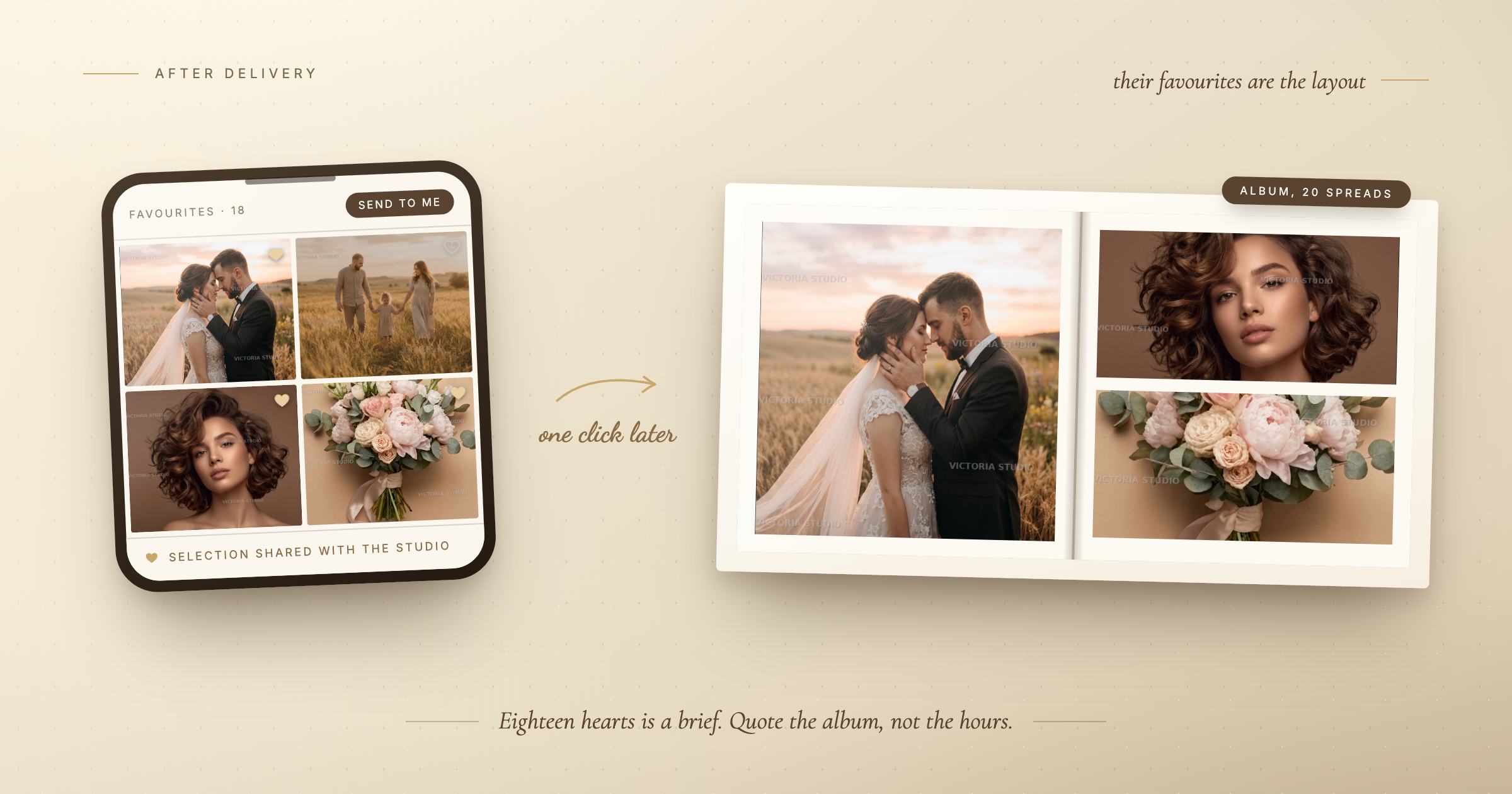
- Selection. Album and print orders need the client to choose. In a folder that means a message reading "we like 3,17, 24, 31, the one with mum, and the two by the window" - and then you matching a description to a frame. In a gallery they tap a heart and you read the list.
- Access control. A Drive link is either restricted, which means your client fights a Google login, or it is public, which means the wedding is one forward away from being anyone's. Neither is what you meant.
- An end date. Storage costs accumulate silently for years because deleting a folder feels rude. An expiry date, announced in advance, moves people to download their photos and quietly closes the file.
- Knowing anything. Did they open it? Which frame did they come back to four times? A folder answers neither, so print offers become guesses.
- Looking like you. Every folder looks the same. Your cover choice, your typeface, your layout - the parts you spent years developing - do not survive the link.
The part that is actually legal, not aesthetic
If you shoot in the EU or for EU clients, a gallery of identifiable people is personal data, and where it is stored matters. Consumer file-sharing accounts were not designed with that question in mind, and a personal account mixing your holiday photos with a client's wedding is not a defensible position if anyone ever asks.
You do not need to become a lawyer about it. The practical version is short: know where the files sit, be able to delete them on request, and do not host client work in the same account as your own life.
What replacing it changes in your week
The client-facing part is the visible half. The half you feel is the calendar.
- The "can you resend the link?" email disappears - the gallery lives at one address that does not change and does not expire mid-conversation.
- The selection thread collapses from eleven messages to one notification.
- The print conversation gets easier because you open with what they already told you they loved, instead of a catalogue.
- The upsell stops being a pitch. A gallery that looks considered makes an album feel like the natural next object. A folder makes it feel like being sold to.
None of this is dramatic. It is twenty minutes a shoot and one less small irritation, which across a season is a working week.
What genuinely stays better in a folder
An honest answer needs this section, and most articles like this skip it.
- Raw file archives. For long-term cold storage of RAWs, cloud storage is the right tool and a gallery is not.
- Collaborating with a second shooter. A shared drive is a fine place for two photographers to pool cards after an event.
- Anything not for a client. Personal work, backups, and files that need to be a folder should stay a folder.
A gallery is for the delivery. It is not a filesystem, and using it as one will only be frustrating.
How to move without redoing your workflow
The switch fails when people treat it as a migration. It is not - you have no reason to move old jobs anywhere.
- Start with the next shoot only. Leave every past delivery exactly where it is.
- Keep your editing and backup exactly as they are. What changes is only the last step, after the export.
- Send both for one job if it makes you comfortable - a gallery link and, in the same message, an offer to zip the files if they would rather have a folder. Almost nobody takes the folder.
- Watch what the client does. Whether they open it on a phone, whether they forward it, whether they mark favourites without being asked twice. That answers the question better than any comparison table.
The real question
It is not "is Drive good enough". It usually is, in the narrow sense that the photos arrive.
The question is what you want the last thing you hand over to look like - because it is the thing that gets forwarded to their mother, opened again on an anniversary, and remembered as the shape of working with you. The photographs are yours. The frame around them is a choice, and right now the choice has been made by a file manager.
If you want to try it in ten minutes
Take a set you have already delivered. Put it in a gallery, set a cover, add a password, send it to a friend and open it on your phone. You are not testing a product; you are looking at your own work the way your clients see it. That comparison tends to settle the question quickly, in one direction or the other.